
Commander wanted!
Drive giant robots, build an army of a thousand Fleas, move mountains if needed, bury the enemy at all cost!
- Real time strategy.
- Physically simulated units and projectiles.
- Terrain manipulation.
- 100+ varied units with unique abilities.
- Singleplayer campaign.
- Challenging, non-cheating AI.
- Multiplayer 1v1 - 16v16, FFA, coop.
- Multiplayer online campaign.
- Really free, no in-game currency, no unfair multiplayer.
Fully Utilized Physics
Simulated unit and projectile physics is used to a level rarely found in a strategy game.
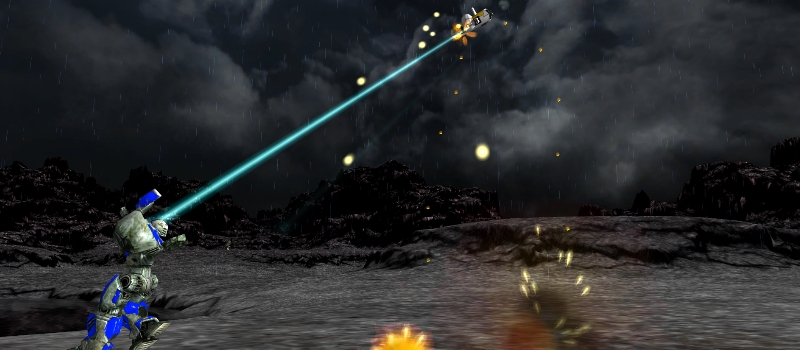
- Use small nimble units to dodge slow moving projectiles.
- Hide behind hills that block weapon fire, line of sight and radar.
- Toss units across the map with gravity guns.
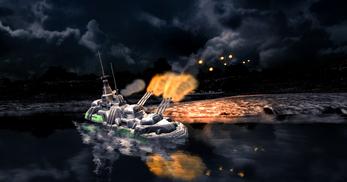
- Transport a battleship to a hilltop - for greater views and gun range.
Manipulate the Terrain
The terrain itself is an ever-changing part of the battlefield.
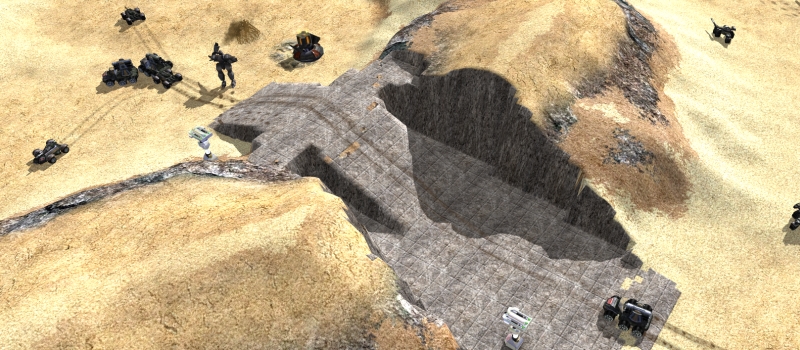
- Wreck the battlefield with craters that bog down enemy tanks.
- Dig canals to bring your navy inland for a submarine-in-a-desert strike.
- Build ramps, bridges, entire fortress if you wish.
- Burn your portrait into continental crust using the planetary energy chisel.
Singleplayer Campaign and Challenging AI
Enjoy many hours of single player and coop fun with our campaign, wide selection of non-cheating AIs and a survival mode against an alien horde.
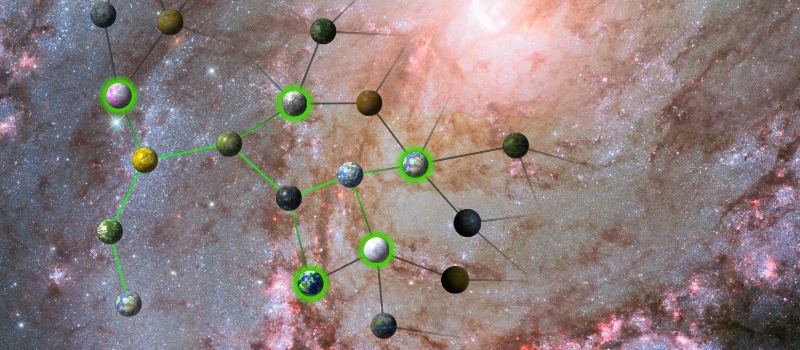
- Explore the galaxy and discover technologies in our singleplayer campaign.
- Face a challenging AI that is neither brain-dead nor a clairvoyant cheater.
- Have some coop fun with friends, surviving waves of chicken-monsters.
- Cloaking? Resurrection? Tough choices customizing your commander.
Casual and Competitive Multiplayer
Zero-K was built for multiplayer from the start, this is where you can end up being hooked for a decade.
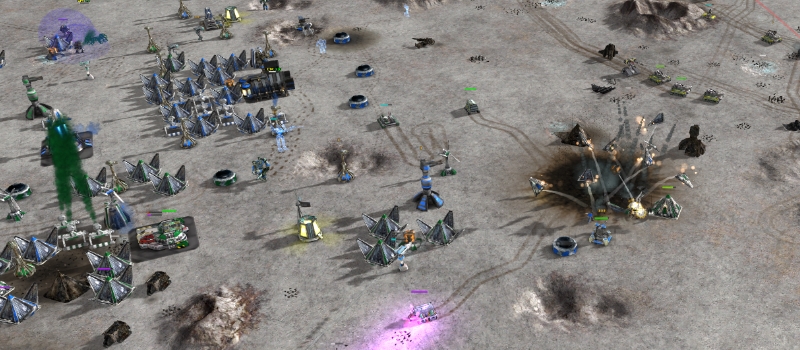
- Enjoying epic scale combat? Join our 16v16 team battles!
- Looking for a common goal? Fight AIs or waves of chicken-monsters.
- Prefer dancing on a razor's edge? Play 1v1 in ladder and tournaments.
- Comebacks, betrayals, emotions always running high in FFA.
- Want to fight for a bigger cause? Form a clan and join PlanetWars, competitive online campaign with web-game strategic elements, diplomacy and backstabbing.
Power to the People
We are RTS players at heart, we work for nobody. We gave ourselves the tools we always wanted to have in a game.
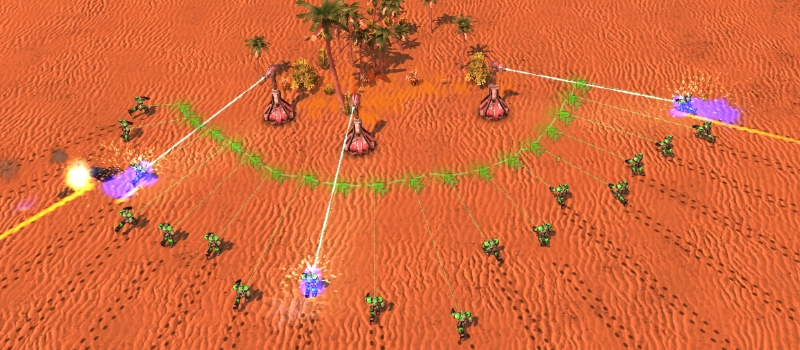
- Do what you want. No limits to camera, queue or level of control.
- Paint a shape, any shape, and units will move to assume your formation.
- Want to spend more time on tactics? Use construction priorities.
- Want to focus on economy? Order units to kite, strafe or zig zag bullets.
Plenty of Stuff to Explode Explore
Zero-K is a long term project and it shows, millions hours of proper multiplayer testing and dozens of people contributing ever expanding content.
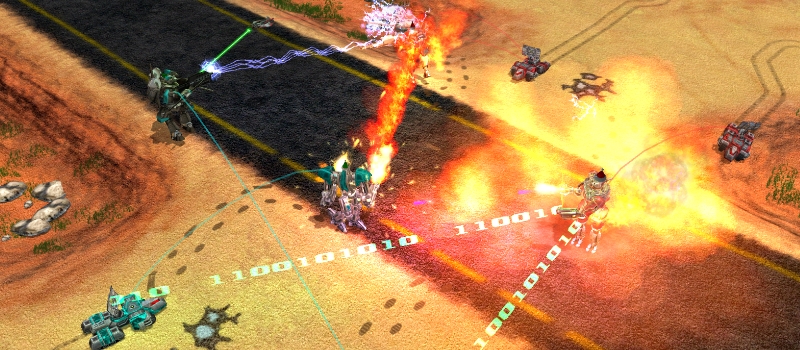
- Learn to use all of our 100+ units and play on hundreds of maps.
- Invent the next mad team-tactics to shock enemies and make allies laugh.
- Combine cloaking, teleports, shields, jumpjets, EMP, napalm, gravity guns, black hole launchers, mind control and self-replication.
- Tiny flea swarm that clings to walls?
Jumping "cans" with steam-spike?
Buoys that hide under water to ambush ships?
Mechs that spew fire and enjoy being tossed from air transports?
Carrier with cute helicopters?
Jumping Jugglenaut with dual wielding gravity guns?
Meet them in Zero-K!
or just view the media
Cold Take #48 - Early Commanders

Commanders are cool but they are hard to square with the rest of Zero-K. This post covers how they went from a combination King and Queen to something more like a Rook or Knight.
Read it here: https://store.steampowered.com/news/app/334920/view/713414124781963333
Posted by Read it here: https://store.steampowered.com/news/app/334920/view/713414124781963333


 GoogleFrog 29 days ago - comment
Zero-K v1.14.10.2 - Nimbus Wiggle and Magpie Part 2

The new Magpie was always going to take multiple tries to get right, so here is our first foray out into the rest of the design space. These changes aim to focus on the importance of choosing where and when to use Magpie by reducing its speed and staying power, and they are fairly large to give us a clearer view of the effect. We expect that cleaning up spread out raiders will no longer be quite so free.
Magpie behaviour has also been improved and there is a new hotkey that should make swarms of them easier to control. Some of these behaviour improvements rubbed off onto Nimbus as well, which should help it against units that barely count as flex-AA. There are also a few graphical fixes and improvements as Rallehop continues making tank treads rotate at the right speed.
Magpie is slower and needs to rearm more often.
Other features:
Fixes:
Posted by Magpie behaviour has also been improved and there is a new hotkey that should make swarms of them easier to control. Some of these behaviour improvements rubbed off onto Nimbus as well, which should help it against units that barely count as flex-AA. There are also a few graphical fixes and improvements as Rallehop continues making tank treads rotate at the right speed.
Magpie is slower and needs to rearm more often.
- Speed 252 -> 234
- Volleys per rearm 30 -> 12.
- Regular damage 16 -> 12
- Slow damage 64 -> 66 (damage factor 4 -> 5.5)
- No longer dumps its ammo upon landing on an airpad if it is full.
- Now flies further away before turning around to take longer strafes while automatically attacking.
Other features:
- Nimbus now strafes left and right when firing rather than floating at a fixed position in the air.
- The deselect units with health below 30%/60%/100% hotkeys (default Ctrl+E for 60%) now also deselect planes that have less than that much ammo (thanks Steel_Blue). All deselected aircraft are also told to seek out an airpad for repairs. The previous form of these hotkeys can be bound ingame under Hotkeys/Selections.
- Scorcher tries to stay at range against Dagger, Bolas, Archer and Scallop.
- Bolas, Pyro and Blitz try to stay at range against Bolas.
- Added a menu icon for height indicator settings.
- Added distortions for commander spawns and facplops.
- Slightly strengthen Pyro death explosion distortion.
- Slightly weakened Firewalker distortion.
Fixes:
- Fixed Welder wheels failing to stop rotating (thanks Rallehop).
- Fixed Kodachi wheels rotating far too fast (thanks Rallehop).
- Regeneration rates drawn on health and shield bars no longer display as if overslow causes rates to go below 50%.
- Fixed effect clipping on high-overdrive mexes.
- Fixed Blastwing bomb trail position.
- Tried to prevent Detriment nanoframes from walking away.
- Dynamic outline width is now supported by spring camera.
GoogleFrog 30 days ago - comment
Zero-K v1.14.10.1 - Juice

After a week of observation it is time to juice up some of the explosion distortions. Other distortions have been slightly rebalanced and the update also includes fixes that did not make it in last week.
Posted by - Added ground shockwaves and stronger distortions for particularly large death explosions. This mostly applies to Striders, commanders, heavy turrets and energy structures.
- Tweaked multiple weapon distortions.
- Increased the passive heat distortions on fusion and geothermal generators.
- Significantly improved the performance of the widget that draws vertical lines under high-flying units and radar dots. In a very rough test the lategame performance cost dropped from 4% to 0.4%.
- Welder now has animated tracks and wheels (thanks Rallehop).
- Fixed unbalanced Blastwing fan spin speeds (thanks XNTEABDSC).
- Quill now kicks up dust and water like other hovercraft (thanks Rallehop).
- Fixed an bug with a particular combination of dynamic weapon debuffs that likely only impacts modding (thanks XNTEABDSC).
- Aircraft selection triangles now reliably point in the correct direction for banking fighters, rather than flipping around randomly.
- Trident now has an equilateral selection triangle, rather than isosceles, to avoid rubbing in its inability to rotate.
- Re-disabled by default the previous selection shapes widget as multiple people reported accidentally having the new one and the old one enabled simultaneously. The old one can be re-enabled under Settings/Interface/Selection/Selection Shapes if you prefer it, but it has worse performance.
- Fixed Odin build progress visuals.
- Fixed an accidental Impaler reload time nerf.
- Fixed clumps of Impalers sometimes blocking each other from firing.
- Fixed the Impaler doors being one elmo away from closing properly.
- Unshrunk the Airpad radar icon.
- Fixed projectile lights disappearing if there happen to be no living commanders, Solar Collectors, or Singularity Reactors on the map.
GoogleFrog 34 days ago - comment
Zero-K v1.14.9.0 - New Magpie, Dante and Distortions

This update started as a set of small Shieldbot buff but spiralled out of control when I decided to both overhaul a major graphics system and add an almost entirely new unit. The new Magpie replaces the old one and works quite differently, while the recently, and less drastically, overhauled Dante has received some tweaks and buffs. There are a few other balance changes as well as many small fixes.
The other main feature of the update is the replacement of the old distortions system with a more modern one. This puts us beyond the halfway point for our longer-term goal of fully removing our old shader framework, which should come with a significant performance boost as well as much fancier effects. There was also an engine update a little under a week ago to fix a crash and some minor graphical issues.
The old Magpie has been put to rest after many attempts to make it work. But, like a heavy fire bomber rising from the ashes, there is a new Magpie to play with.
The new Magpie is a fighter-bomber hybrid that can slow ground and air targets while dealing a small amount of normal damage. It is meant to support other units, rather than snowball out of control by itself, and uses an ammo system which lets it fire 30 bursts before reloading. The feedback from testing has been generally positive so it is time to unleash it more generally and see how it pans out.

Dante has more range and less ground fire burn time. The recent range-reducing rework hurt Dante quite badly and the addition of long-lasting ground fire was a mixed blessing. It also has a health buff and some non-salvo rocket buffs to make firing a salvo a more meaningful decision.
Bandit lives slightly longer.
Rogue is more likely to hit, even when it misses.
Thug can now perfectly keep up with Outlaw.
Outlaw is harder to pick off.
Puppy is slightly worse at trading with Glaive.
Imp is slightly more effective against tough units.
Harpy has lingering slow to match similar slow weapons.
Disco Rave Party aims faster.
Our previous distortion system has been replaced by a much more modern one originally written for BAR. Aircraft jets have likewise been completely replaced with a new version. Performance should improve on most hardware and there are many more distortion effects. There are too many to list in detail, so here is an overview.
Other changes:

Posted by The other main feature of the update is the replacement of the old distortions system with a more modern one. This puts us beyond the halfway point for our longer-term goal of fully removing our old shader framework, which should come with a significant performance boost as well as much fancier effects. There was also an engine update a little under a week ago to fix a crash and some minor graphical issues.
New Magpie
The old Magpie has been put to rest after many attempts to make it work. But, like a heavy fire bomber rising from the ashes, there is a new Magpie to play with.
The new Magpie is a fighter-bomber hybrid that can slow ground and air targets while dealing a small amount of normal damage. It is meant to support other units, rather than snowball out of control by itself, and uses an ammo system which lets it fire 30 bursts before reloading. The feedback from testing has been generally positive so it is time to unleash it more generally and see how it pans out.
Balance
Dante has more range and less ground fire burn time. The recent range-reducing rework hurt Dante quite badly and the addition of long-lasting ground fire was a mixed blessing. It also has a health buff and some non-salvo rocket buffs to make firing a salvo a more meaningful decision.
- Health 15k -> 16k
- Flamethrower range 320 -> 340
- Rocket ground burn time 15s -> 3s
- Non-salvo rocket range 420 -> 485
- Non-salvo rocket reload time 2s -> 1.8s
- Non-salvo rockets are much more accurate.
- Reduced salvo rocket spread by 40%.
- Technically increased salvo rocket range 420 -> 460, but this is mostly a UI change as salvo rockets previously overshot by about this much.
Bandit lives slightly longer.
- Health 340 -> 350
Rogue is more likely to hit, even when it misses.
- Area of effect radius 37.5 -> 48
Thug can now perfectly keep up with Outlaw.
- Speed 57 -> 60
Outlaw is harder to pick off.
- Health 1100 -> 1200
Puppy is slightly worse at trading with Glaive.
- No longer shoots backwards (a half-circle arc).
- Reduced turret turn rate by 15%.
- Range 170 -> 168
Imp is slightly more effective against tough units.
- Damage 2500 -> 2800
Harpy has lingering slow to match similar slow weapons.
- Overslow 0s -> 2s
Disco Rave Party aims faster.
- Turns roughly four times faster up to about 40% spin.
- Turns roughly twice as fast up to about 85% spin.
- Its AI takes advantage of these buffs by reducing spin by less when told to change target
Unit Behaviour
- Added a new state toggle called Attack Style for Swift, Raptor and Magpie. The Loopback setting causes planes to try to safely loop around at their maximum range. The default is Strafe, which is unchanged from the previous behaviour.
- Fixed Artemis being able to be tricked into shooting at terrain.
- Grizzly now tries to keep Recluse and Rogue at max range when told to use tactical AI.
- Locust target priority is now lower than that of ground-based raiders.
- Impaler now stays primed to immediately fire when not set to Fire At Will.
Graphics
Our previous distortion system has been replaced by a much more modern one originally written for BAR. Aircraft jets have likewise been completely replaced with a new version. Performance should improve on most hardware and there are many more distortion effects. There are too many to list in detail, so here is an overview.
- Placeholder visually sucks in the surrounding space with its black holes.
- Flamethrowers and napalm emit waves of heat distortion.
- Many small explosions hit a bit harder while the large ones are hard to miss.
- Lightning, particle beams and disruptor beams wiggle around.
- Jugglenaut and Detriment footsteps throw up dust and shockwaves.
- Energy structures and Metal Extractors emit heat to indicate activity.
Other changes:
- Tweaked and improved some projectile lights to use new volumetric lighting.
- Fixed Blitz track and wheel spin animations (thanks Rallehop).
- Fixed missing gauss trail in the first segment of the effect, next to the gun.
- Fixed the light rocket trail gap between the projectile and flame.
- Fixed some plasma cannon trails poking out the front of the projectile.
- Tweaked lighting on Titans Folly v1.1 and DownRiver_v1.
Interface
- Allied Retreat Zones can now be set to be displayed and this is enabled by default for spectators (thanks SteelBlueZK)
- Improved Phantom, Emissary, Dominatrix, Recon and Engineer unit icons, mostly by deploying the unit (thanks Rallehop).
- Clarified the tooltip for "Fire at radar dots" (thanks SteelBlueZK).
- Reef description now mentions capture (thanks Rallehop).
- The Engineer blueprint menu now uses the new square unit icons.
- Added the new square icons to the campaign technologies and unlocks screens.
Modding
- Split generic zombie functions into api_zombie_helper to help modders (thanks Stiofan-K)
- Moved light configuration from LuaUI/Configs/UnitLights to LuaRules/Configs/UnitLights.
- Unit and event distortions can be placed in LuaRules/Configs/UnitDistortions.
- Added death_explosion weapon customparam.
Other Fixes
- Fixed aircraft not regaining their speed if slow wears off while on an airpad.
- Fixed Auto Reclaim/Heal/Assist causing incorrect idle constructor count (thanks Petronous).
- Fixed one-pixel gaps in the UI that could be caused by some interface scaling values.
- Fixed missing outline on Scythe halberd from some camera angles.
- Fixed unit colours after loading a saved game (thanks Sprung).
GoogleFrog 41 days ago - comment
 RSS feed | news archive





 Game mode Tech-K


